Everything Active Notes does, one screenshot at a time.
Active Notes is a family organizer for iPhone, iPad, Mac and Apple Watch that turns your screenshots into calendar events, to-dos and lists. You only need to know one thing to start: screenshot it, or share it, and it’s handled. This page is for the people who want to see the rest first.
Not another AI assistant You don’t talk to it. You just screenshot.
The new AI assistants will do almost anything you ask, once you hand over your mail, your messages, your files, and your card. Active Notes is the opposite. It does one small thing the moment you take a screenshot, and it never asks you for anything else.
You never ask it anything.
No chat window, no typing out what you want. Take the screenshot you were already going to take. It’s on the calendar before you’ve put the phone down.
It never reads your mail or spends your money.
It sees one image at a time, the one you captured, and nothing else. Notes stay on your phone. No inbox access, no payments, no browsing on your behalf.
It does less, on purpose.
No feed, no streaks, no red badges. Notes clear themselves. The evening digest ends with “nothing needs you tonight,” and means it.
$39.99 a year for the whole household, less than two months of a personal AI assistant. Free to start, no account needed.
AI-Assisted Visual Capture If you can screenshot it, Active Notes can handle it.
Your camera roll is where good intentions go: four thousand photos, and somewhere in there the flyer, the invite, and the thing you meant to buy. Active Notes reads screenshots, photos, emails, and links the moment you capture them, and turns them into calendar events, to-dos, lists, and tappable contacts.
- Reads screenshots, images, and URLs
- Finds events, text, phone numbers, and active links
- Zero manual typing. Zero data entry
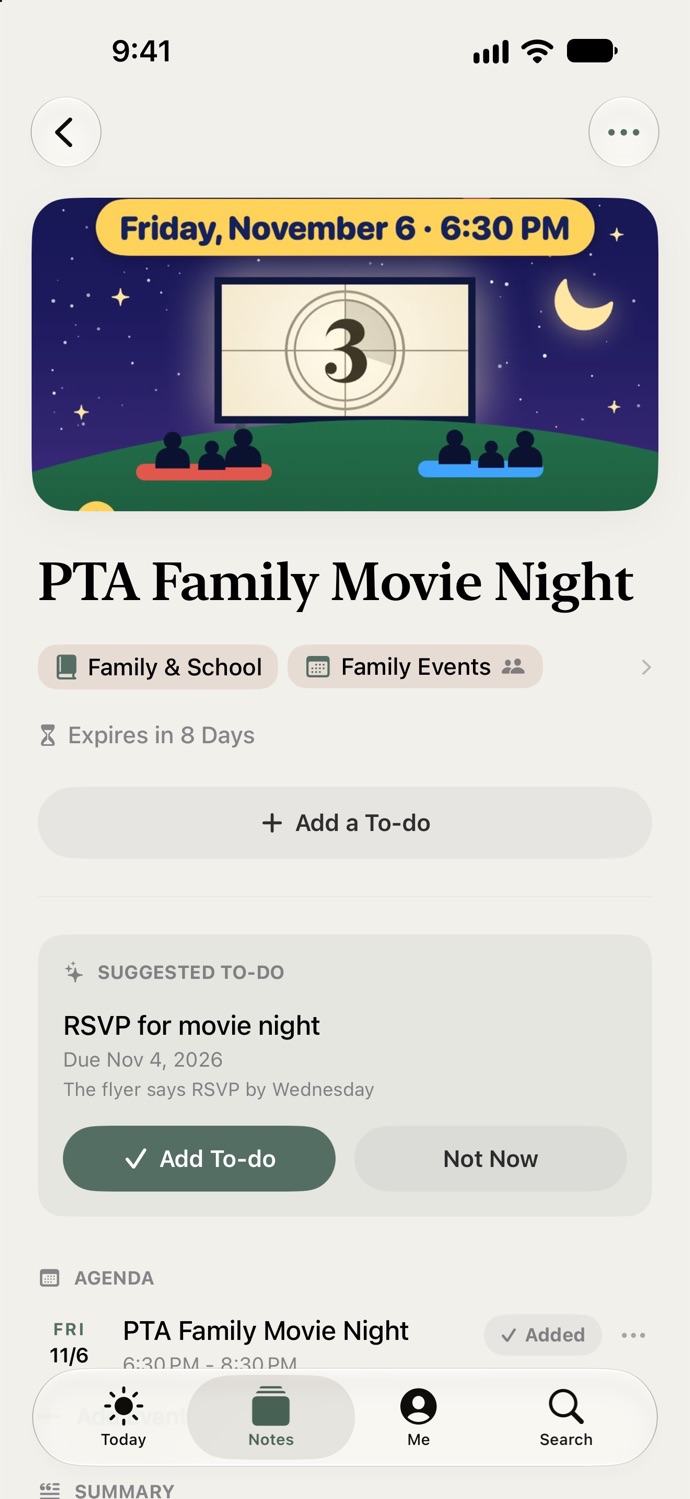
Recipes · Free · Cook mode, timers, Apple Watch Share the recipe. It’s dinner.
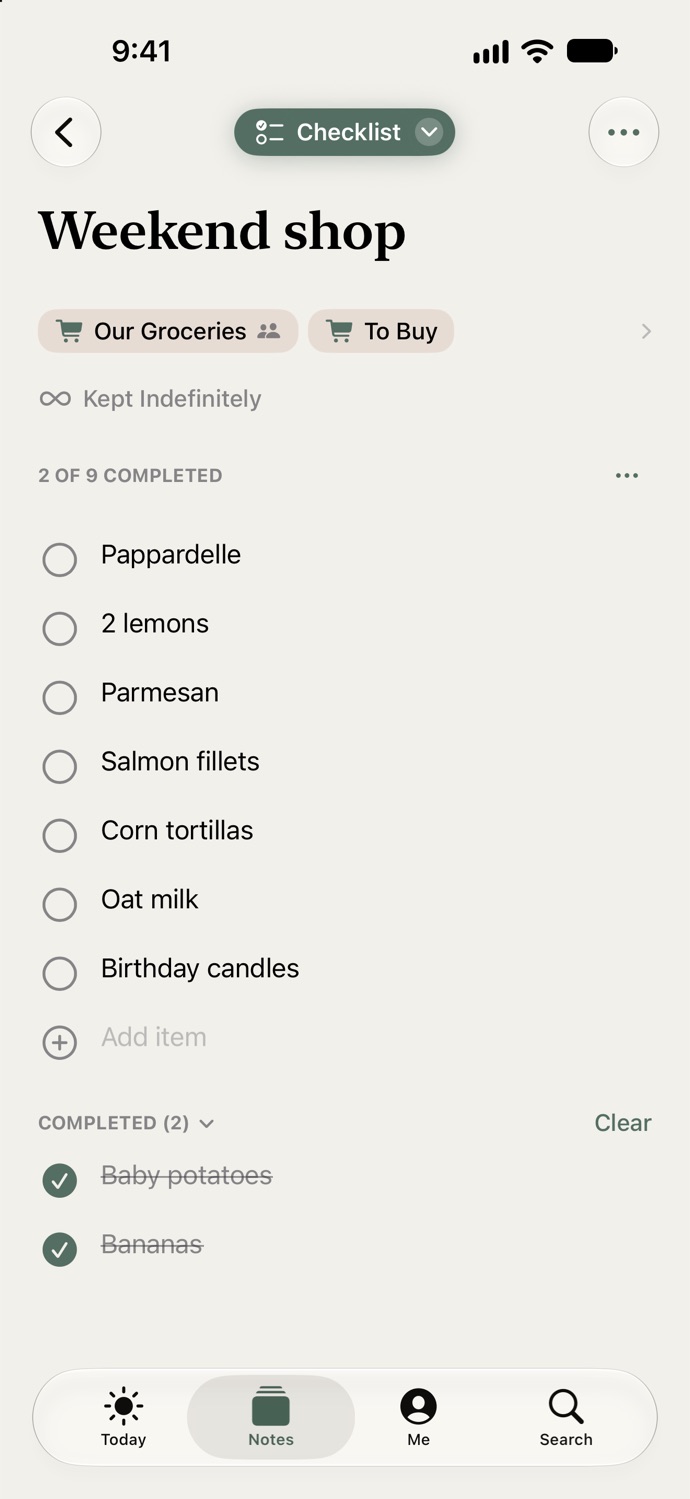
You’ve saved three hundred recipes and cooked four, and the one you wanted tonight is somewhere behind a dress and two dog videos. Share the next one to Active Notes instead. It arrives as a recipe, not a screenshot: Serves 4, 35 minutes, the ingredients to tick, the steps as cards. At 5:30 it is the answer, and the list is already on your wrist.
- From Instagram, TikTok, YouTube, or any website. Two taps, nothing typed
- Start Cooking: the screen stays on, the step you’re on stays lit, every “simmer 20 minutes” is a timer
- Add to To Buy puts what you’re missing on the grocery list. Made It remembers what you changed
- Screenshot the dress and it lands in To Buy with the price and the link
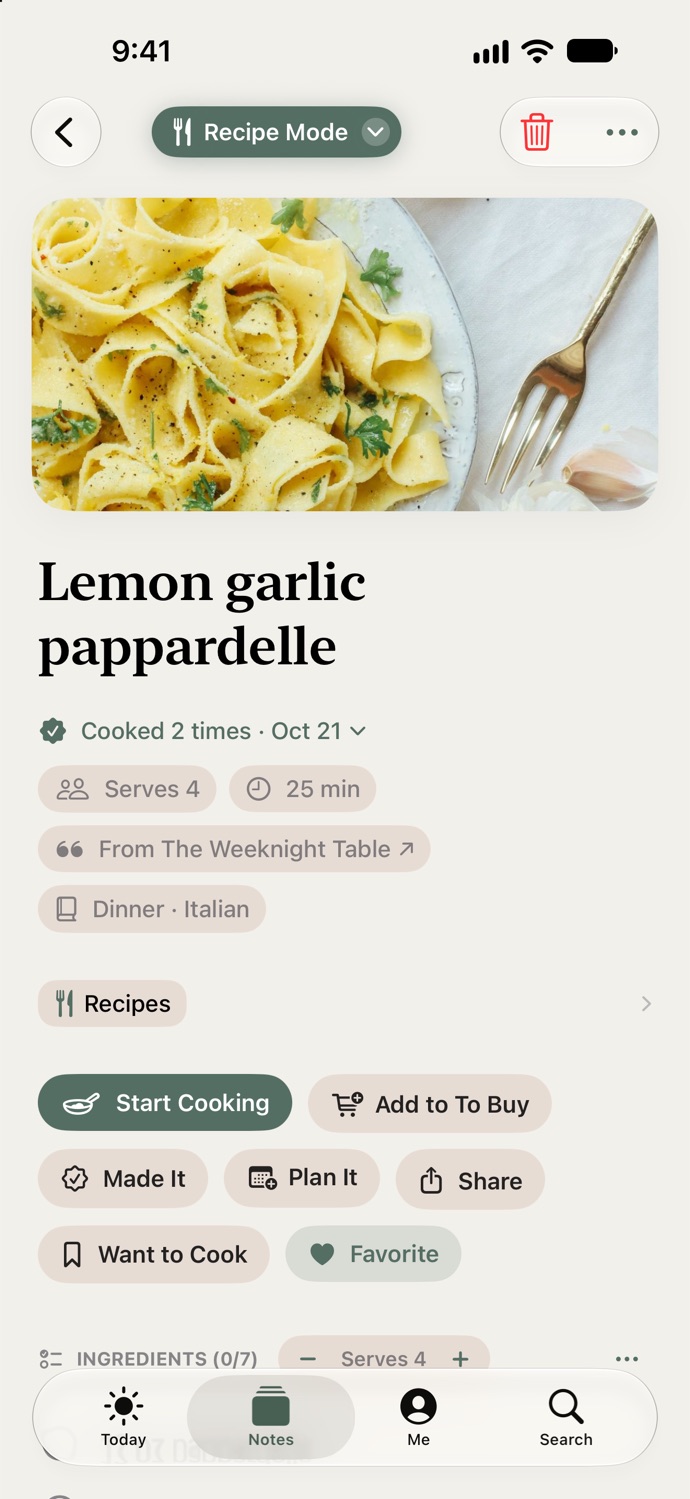
Calendar Sync · Free for everyone Your calendar, already updated.
Screenshot the school email and the field trip is on your calendar before you put the phone down. The game schedule, the show, the sale that ends Sunday, same thing. Say yes once and every event Active Notes finds from then on lands there on its own, with a reminder 15 minutes before it starts. Change the timing for one event or for all of them.
- Apple Calendar, free, no account needed. Google Calendar with a free account
- A reminder 15 minutes before every event, the morning of all-day ones, free for everyone
- Bring over the events you want, undo if you change your mind
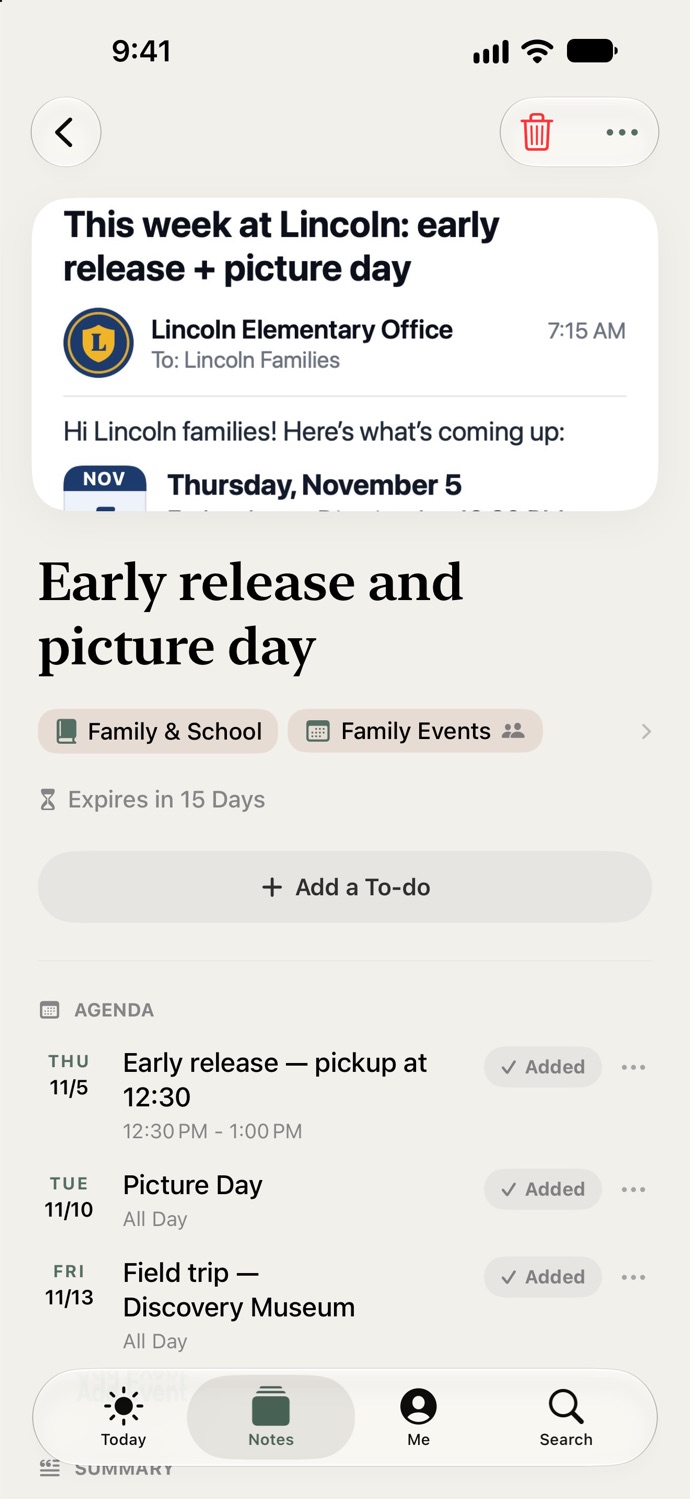
Self-Cleaning Workspace The only system that cleans up after itself.
Once an event passes or a task completes, the note quietly removes itself. No archive to maintain. No graveyard of screenshots. No dread when you open the app. If you have ADHD, you know that dread by name. This part was built for you.
- Notes self-expire after their moment passes
- Or, keep the notes that matter forever
- Every note is active, no more clutter
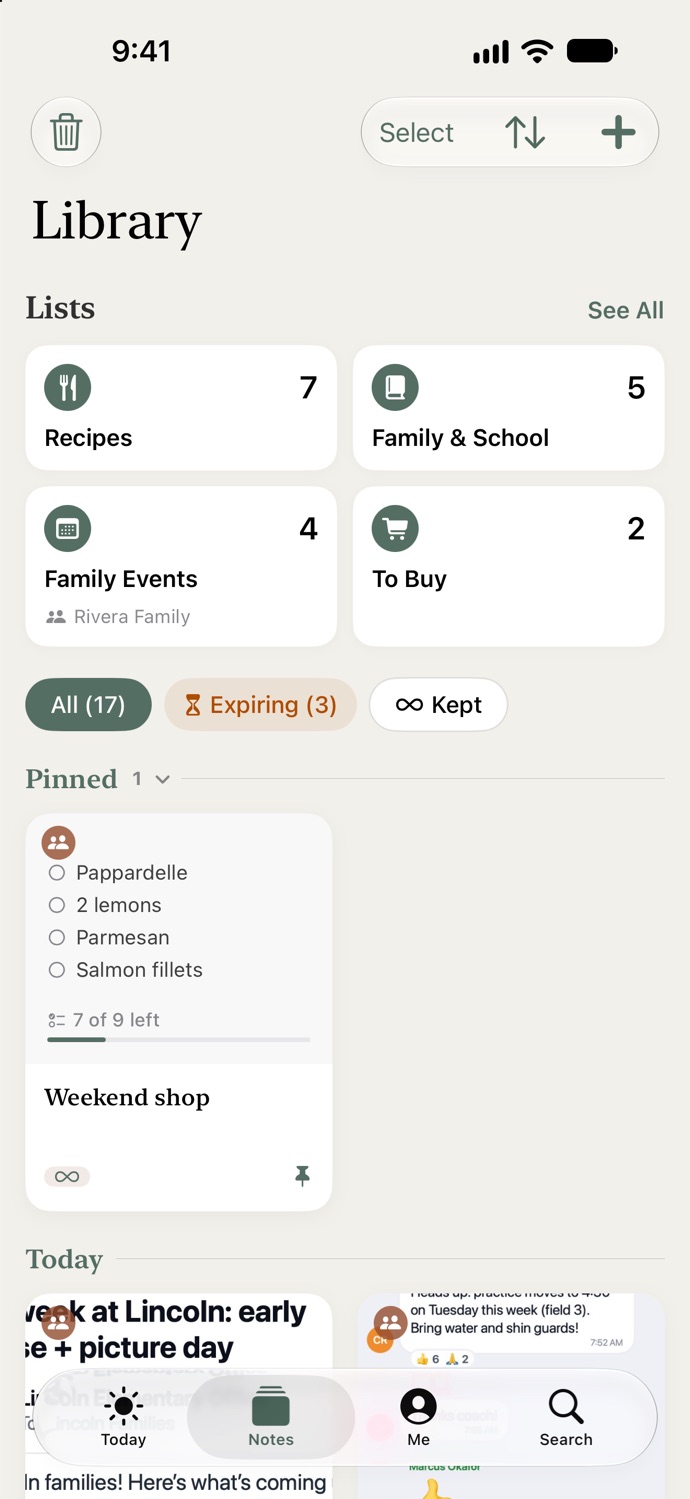
Delivery Tracking · Premium Every delivery tracked, at a single glance.
Screenshot the order confirmation and Active Notes finds the tracking number for you. With Premium it keeps a quiet eye on every delivery, live on your Today dashboard, and tells you the moment it lands.
- UPS · FedEx · USPS · DHL · Amazon and more
- Live status and a delivered alert, nothing to type
- Detection is free. Live tracking is Premium
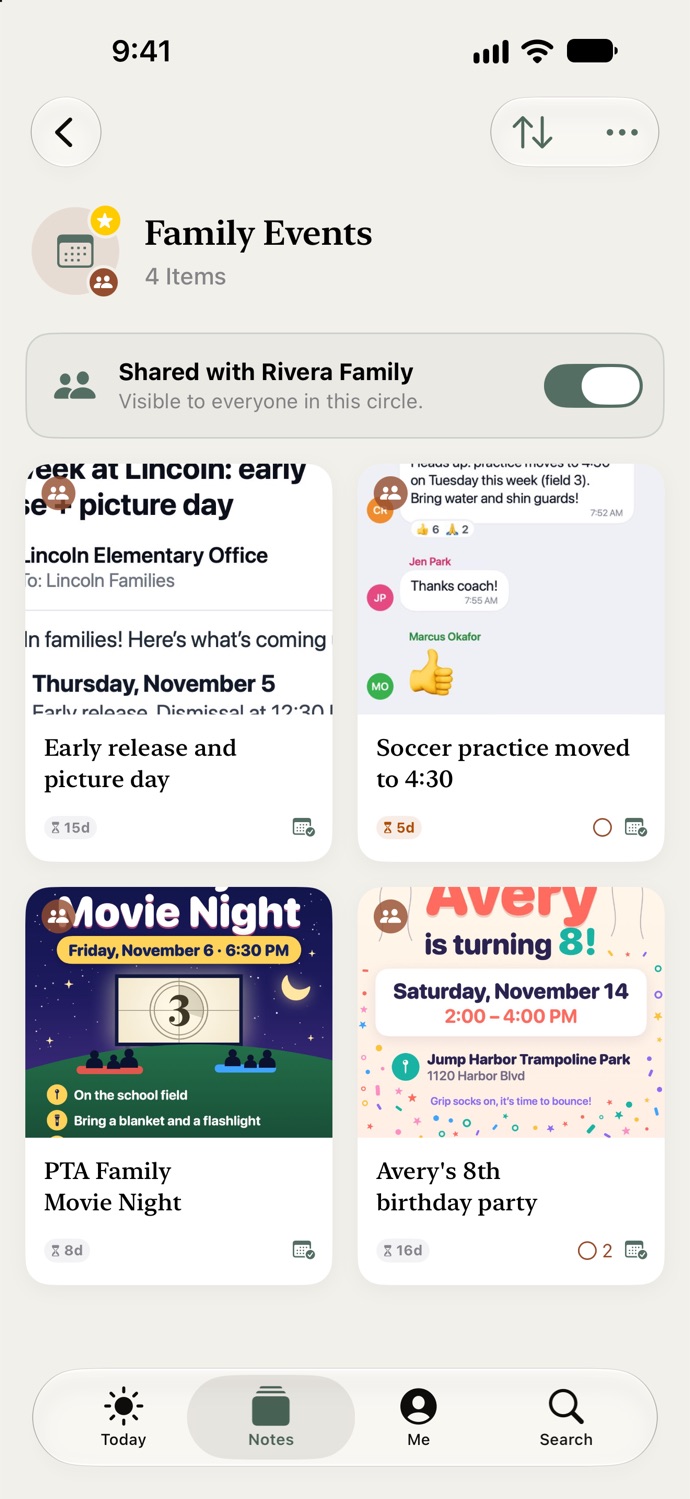
Shared with your household · Premium · Family Sharing Included Stop being the only one who knows.
You know when the party is, what’s for dinner, what still needs packing, and nobody else does, so every question comes to you. Share any list with your household instead. Add something and it is on their phone right away; tick something and it is ticked on yours. One Premium subscription covers everyone in your Apple Family, and joining is always free.
- Groceries. Add the milk on the couch; it is on their phone before they reach the aisle, and on their wrist in it
- Family Events. Screenshot the invite into it and everyone has the date, the address and the RSVP number, not just you
- The trip. Passports, the dog sitter, the car seat. One list, everyone ticks their own, nothing texted three times
- Our Cookbook. Either of you adds a recipe and it is on the other’s phone before dinner
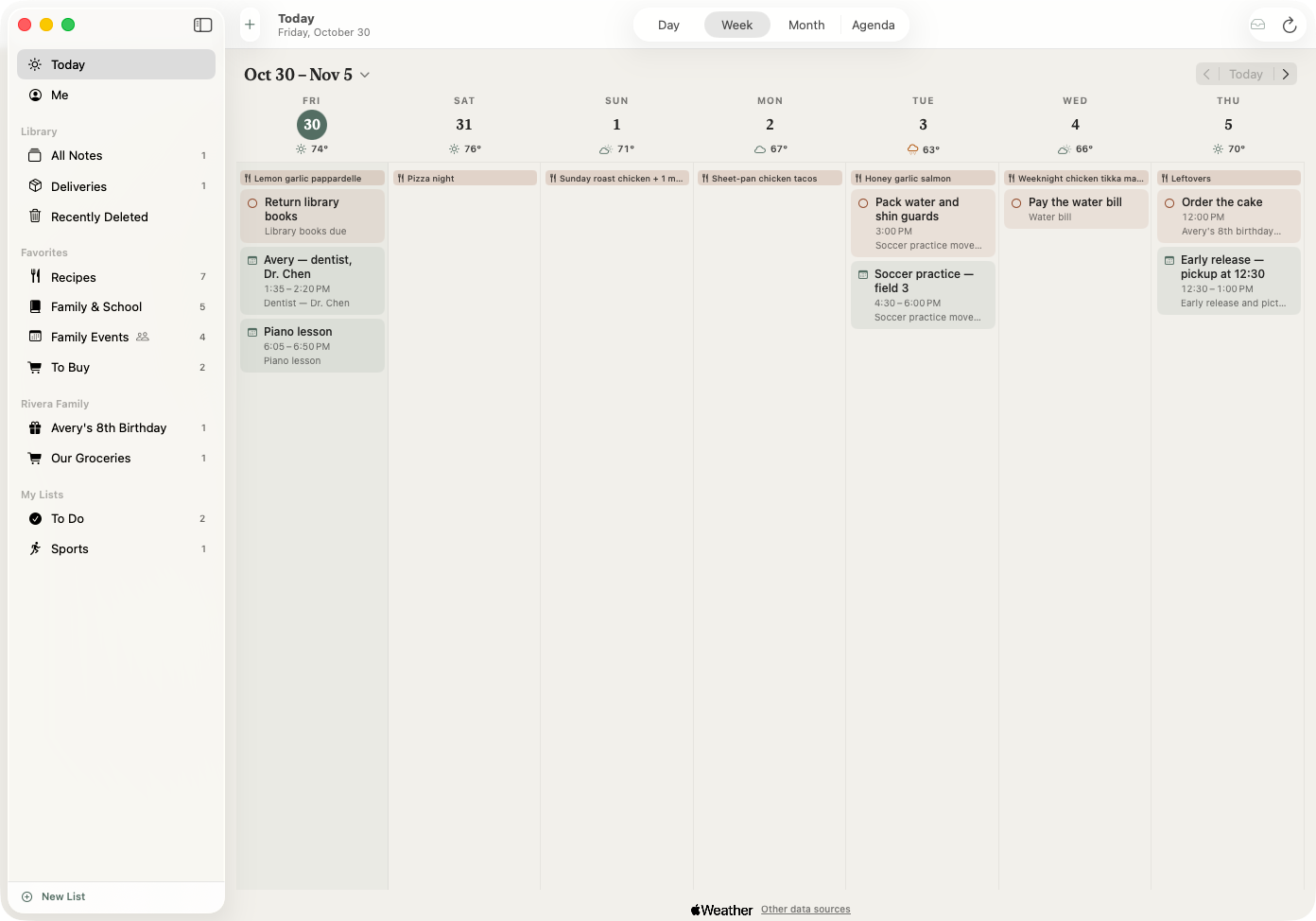
Active Notes for Mac · Free · In sync with Premium Select what you see. It’s on your calendar.
The invite is open in a browser tab, the invoice is in your inbox, and your phone is in a drawer. You have copied a date out of an email into Calendar with one hand. Click the Active Notes icon in the menu bar instead and drag over it: the date is on the calendar your iPhone shows, the to-do is written, the tracking number is found, and there is nothing else to do. That is the fastest a date can get from a screen to your calendar.
- Capture an area, a window, the whole screen, or just the text, from any app
- Drag a file in, paste from the clipboard, or right-click and Save to Active Notes
- Free on its own. Premium keeps it in step with your iPhone, and if you already subscribe there, the Mac is included
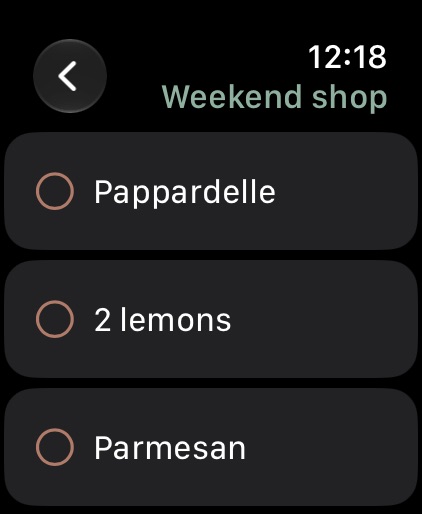
Apple Watch · Free Grocery shop without taking out your phone.
Your watch counts steps and shows notifications, and that is about it. Meanwhile the list is on a phone in your pocket, one hand is on the cart, and the other is holding a small person. Screenshot the list, the one your partner texted, the recipe, the note on the fridge, and it is on your wrist in the aisle. Tick off the milk. Add the lemons by voice. Phone stays where it is.
- Every list you capture appears on the Watch on its own, no setup
- Tap to tick off, swipe to remove, add by voice or keyboard
- A tick on the wrist is a tick on the phone, and on your partner’s phone if the list is shared
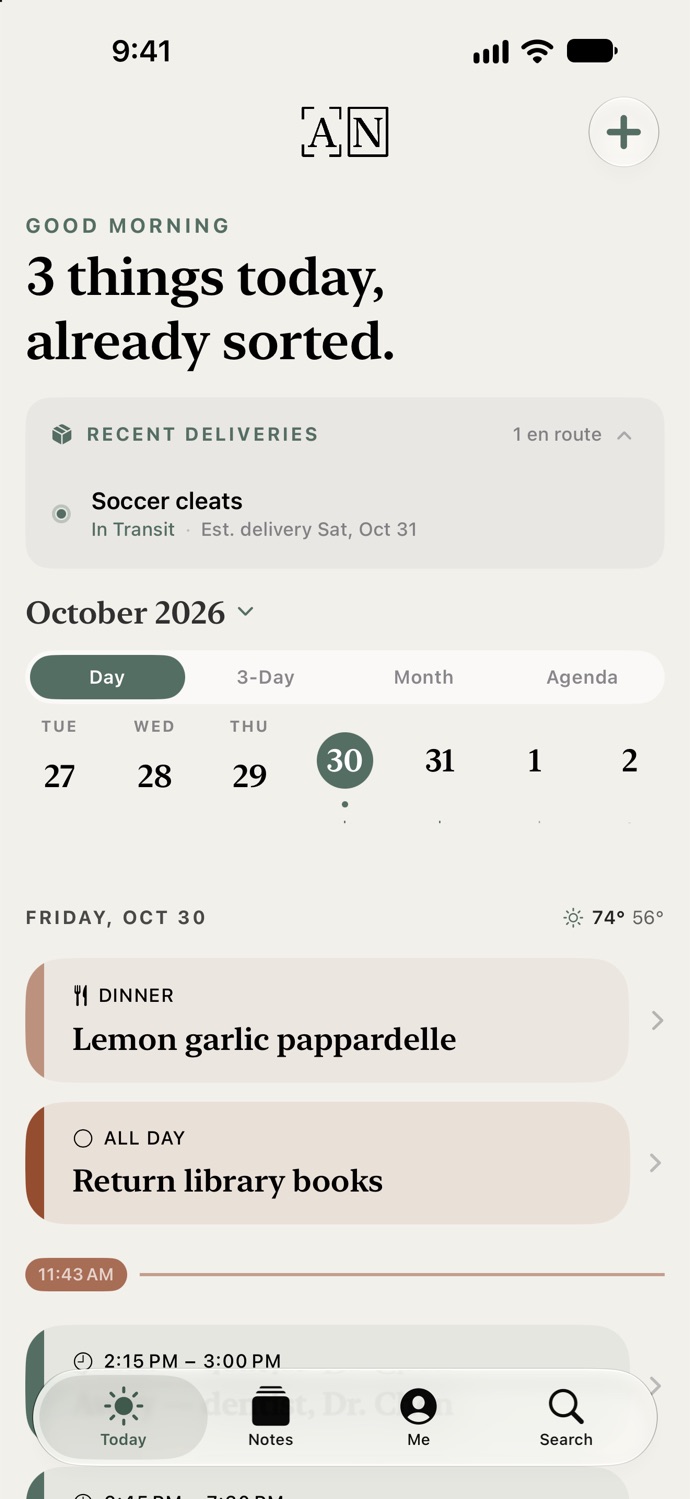
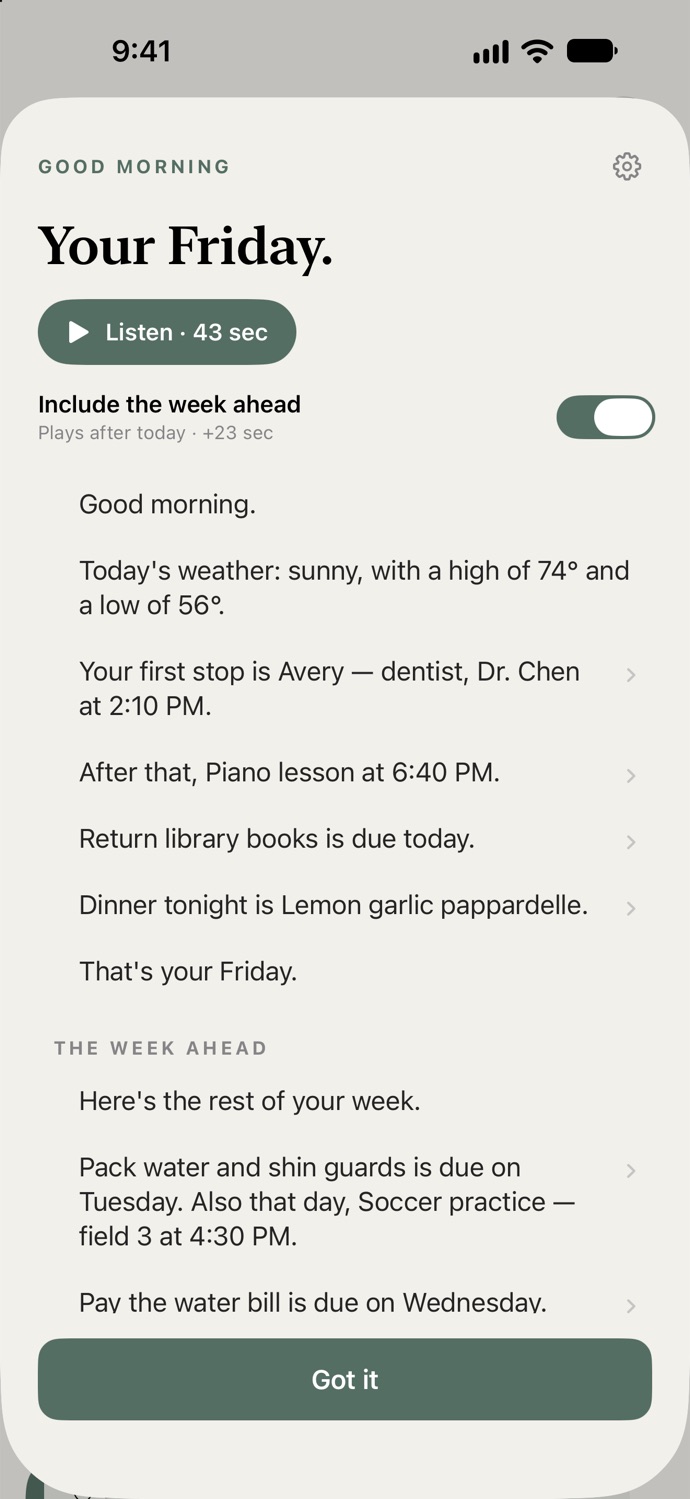
Morning & Evening Digest · Free · Narrated with Premium Your day, read to you before you ask.
You should not have to open an app to find out whether today has a dentist in it. At 7:00 a short digest tells you what today holds, from the first drop-off to the package arriving by eight. Read it, or press Listen and hear it on the school run. At 8:30 a calmer one tells you what cleared itself, what tomorrow starts with, and, on a good night, that nothing needs you.
- Morning and evening, read as text or spoken aloud. Free, no account needed
- Quiet days stay quiet: nothing arrives when there is nothing on
- Premium narrates it in a natural voice, in words written for your day, on every device
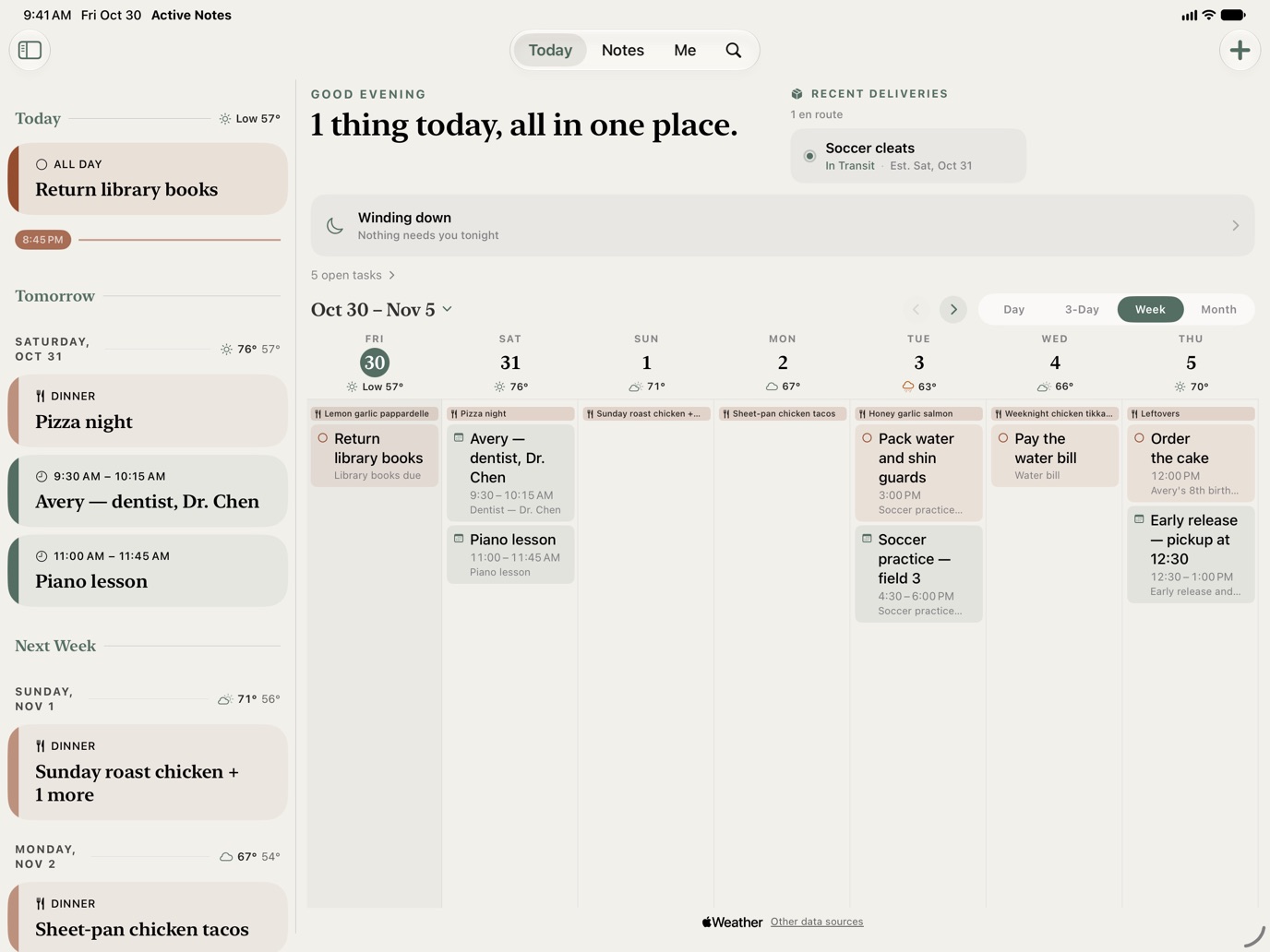
Apple Ecosystem Harmony Offload your brain everywhere you are.
Capture on iPhone. Map your week on the iPad. Drag a screenshot into the Mac app at your desk and have your day read to you there too. Check off lists from your Apple Watch. Sign in with the same account and Premium keeps every note, and every digest, in step on all of them.
A week with Active Notes Built for the person who runs the house.
You already screenshot everything. The information gets captured. The action never happens. Here is what changes.
The school email lands: field trip Thursday, permission slip due Friday.
Screenshot it. Thursday is on your calendar, the permission slip is a to-do, and you get a reminder when it’s due. Free.
You haven’t opened the app. You don’t need to.
Your Tuesday is read to you on the school run: dentist at ten fifteen, soccer at half past three, forms due today. Free. Premium narrates it in a natural voice.
A birthday invite lands in the class group chat.
Screenshot it. The party is on the calendar, the RSVP number is tappable, and the note clears itself the day after. Free.
The order confirmation for the gift arrives.
Screenshot it. The tracking number is found for you, and with Premium the delivery sits live on your dashboard until it lands.
A recipe on Instagram looks worth making.
Share it. At 5:30 it is on the Want to Cook shelf with the ingredients already on the list, the step stays lit while you cook, and Made It remembers you went easy on the chili. Free.
Nothing needs you tonight.
The evening digest says what cleared itself this week and that Monday starts with the field-trip bus at eight. Then it lets you go. Free.
We built Active Notes because the household runs on screenshots, and screenshots don’t do anything. The mental load isn’t the information. It’s remembering to act on it. This is the app that does the remembering.
Griffin Optics · Makers of Active Notes
More questions The finer points.
Isn’t an AI assistant going to do all this?
An assistant does what you ask, after you give it your mail, your messages, your files, and sometimes your card. Active Notes does the thing you forgot to ask. It sees only the screenshot you took, keeps your notes on your phone, never sends anything or spends money on your behalf, and costs about what one month of an assistant does, for the whole household, for a year.
What happens to my screenshots?
With your permission, Active Notes watches for new screenshots and files them for you. Once a screenshot is filed, you can have the original cleared from your camera roll. Your notes are stored on your device.
Does it work with Google Calendar?
Yes. Apple Calendar works with no account at all. Google Calendar needs a free account, then you pick the calendar your family already shares and every event lands there.
Is there a Mac app?
Yes, and it is free. Click the Active Notes icon in the menu bar, drag over the invite in a browser tab or the invoice in an email, and the date is on your calendar with the to-do written and the tracking number found. Capture an area, a window, the whole screen, or just the text, from any app, or drag a file in. Notes stay on the Mac; Premium keeps them in sync with your iPhone, and if you already subscribe there, the Mac is included. Requires macOS 15.
Which devices?
iPhone, iPad, Mac, and Apple Watch. Free works on each device on its own: the Mac captures from the screen, the Watch shows every list you capture. Premium keeps them all in step with one account.
The first questions are answered on the home page.
Give it one screenshot. That’s the whole setup.
Free to use, no account needed. Premium starts with a 7-day free trial when you want your household in the loop.
Download free →